Setup Guide
Step 1
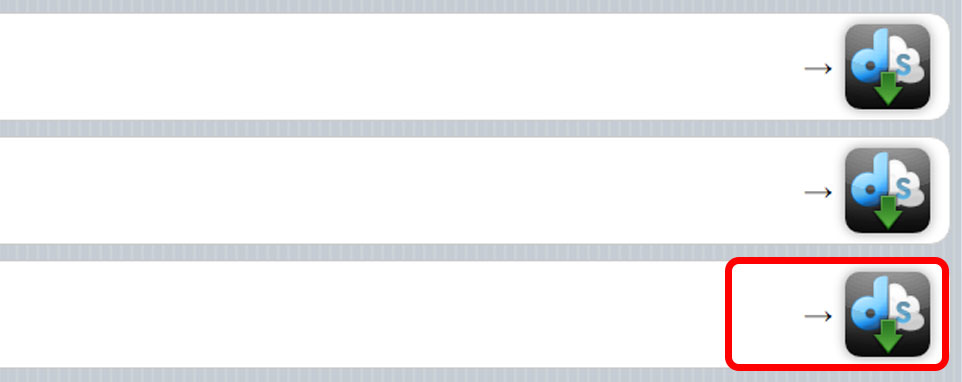
Please select the App to install
Step 2
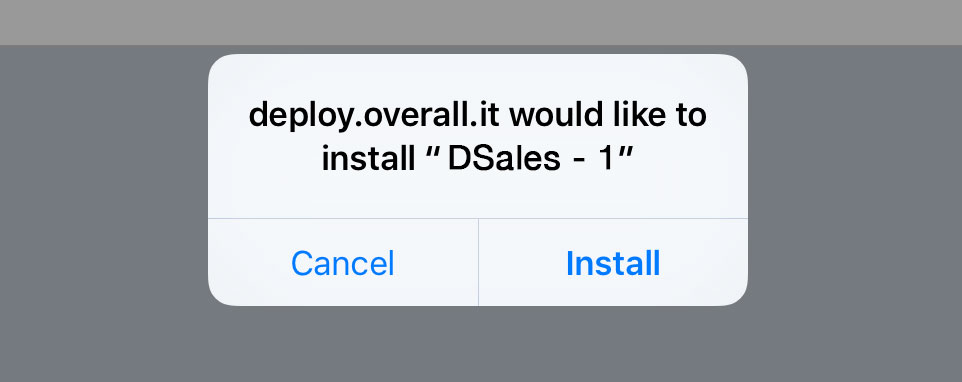
Install the APP
Step 3

Wait for loading
Step 4
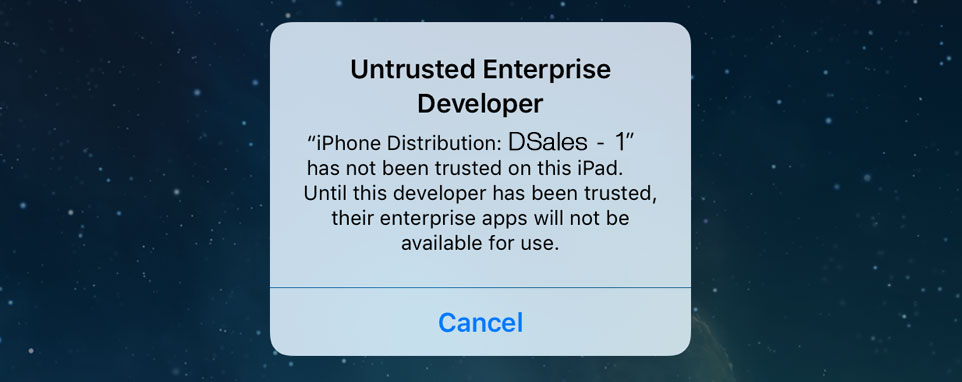
When you first start the App, iOS prevent booting, asking to authorize
Step 5
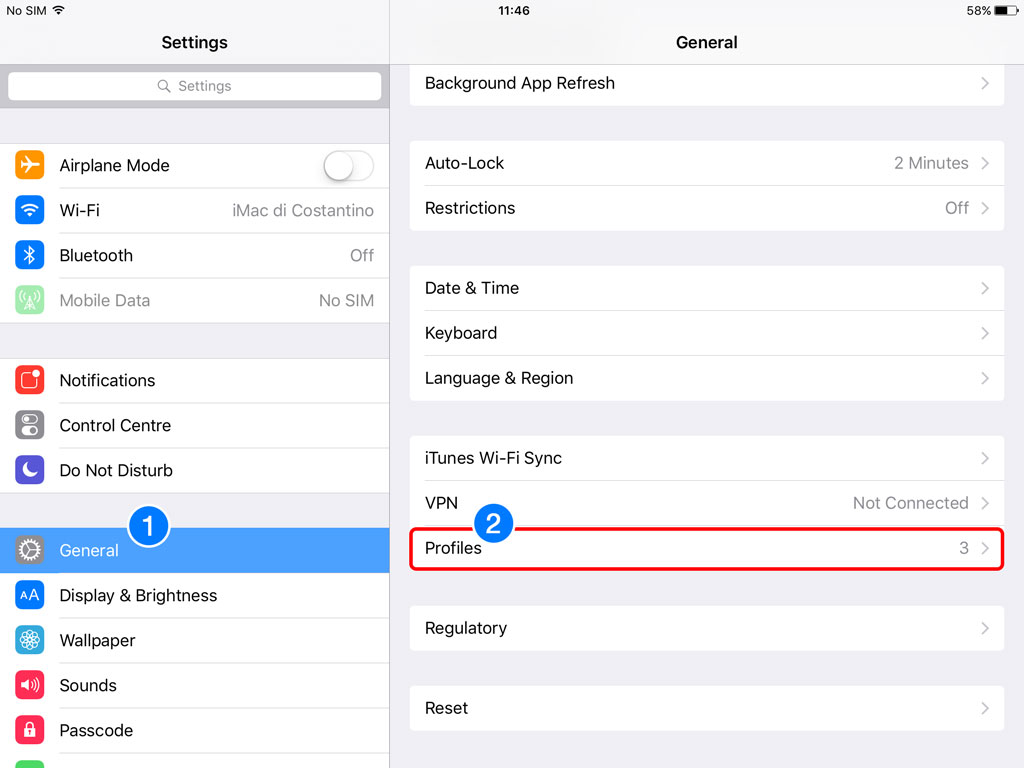
To authorize and unlock run the following steps:
1) Go in SETTINGS and select GENERAL
2) Then select PROFILES
Step 6
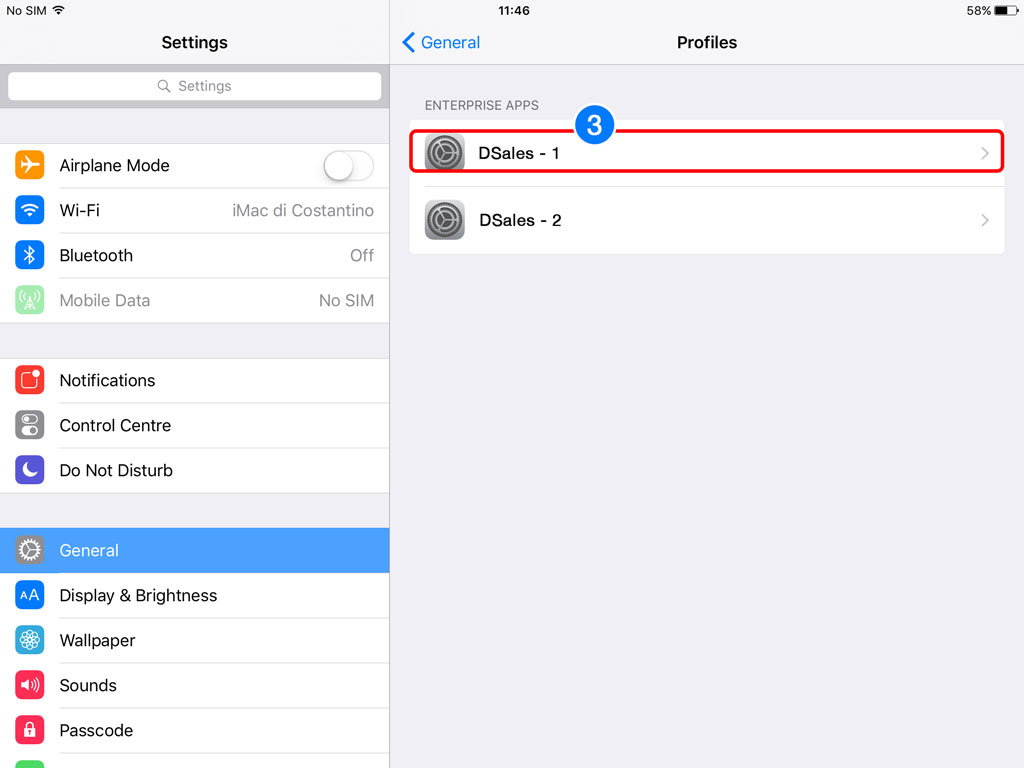
3) Select the PROFILE as to authorize
Step 7
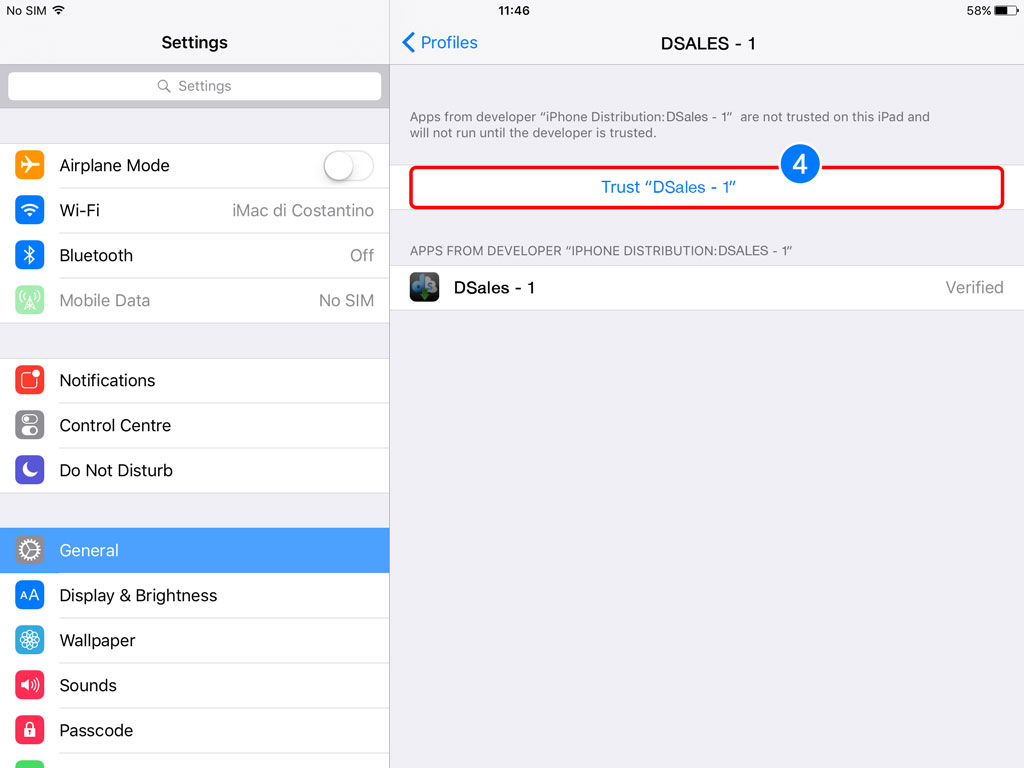
4) Select TRUST 'DSALES - 1'
Step 8
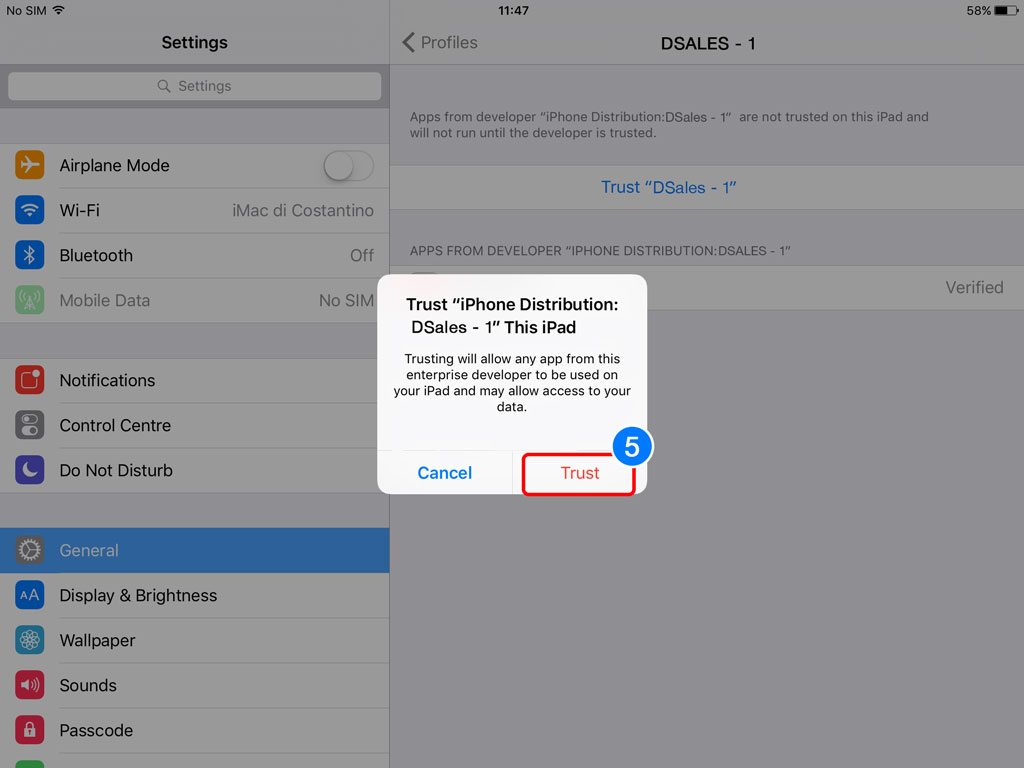
5) In the alert window select TRUST
Step 9
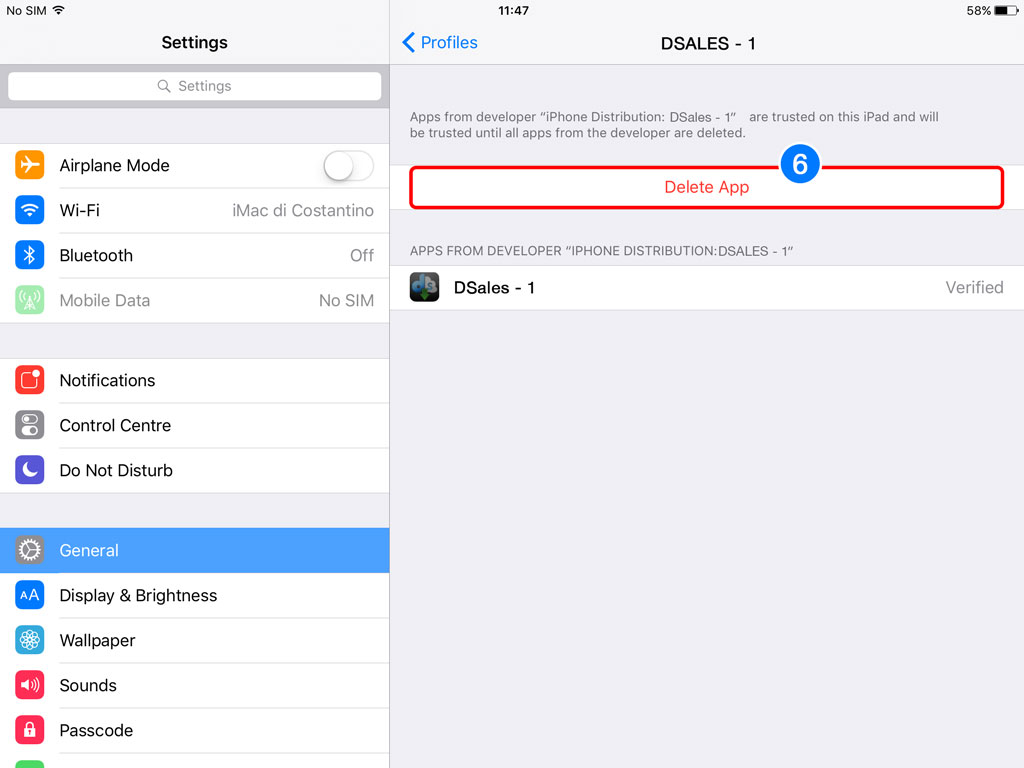
Now you can use the APP
6) In the event that you want to delete it select DELETE APP
